Building a Personal AI Knowledge Base with Embeddings and Vector Search

Over the past few years, I’ve accumulated countless notes, research articles, saved PDFs, project documentation, and personal reflections — all scattered across various folders, devices, Notion pages, and cloud drives. Finding what I needed was starting to feel like archaeology.
So I decided to change that.
In this article, I’ll walk you through how I built a personal AI-powered knowledge base using:
Text embeddings
Vector databases
Local or cloud-based LLMs
A simple interactive UI
This setup allows me to ask natural questions like:
“What were the key insights from my 2023 journal?”
“Summarize that book note I took on The Psychology of Money.”
“Show me all my project notes related to API design decisions.”
…and get smart, contextual answers.
Let’s dive into the tech, the architecture, and the code.
The System at a Glance
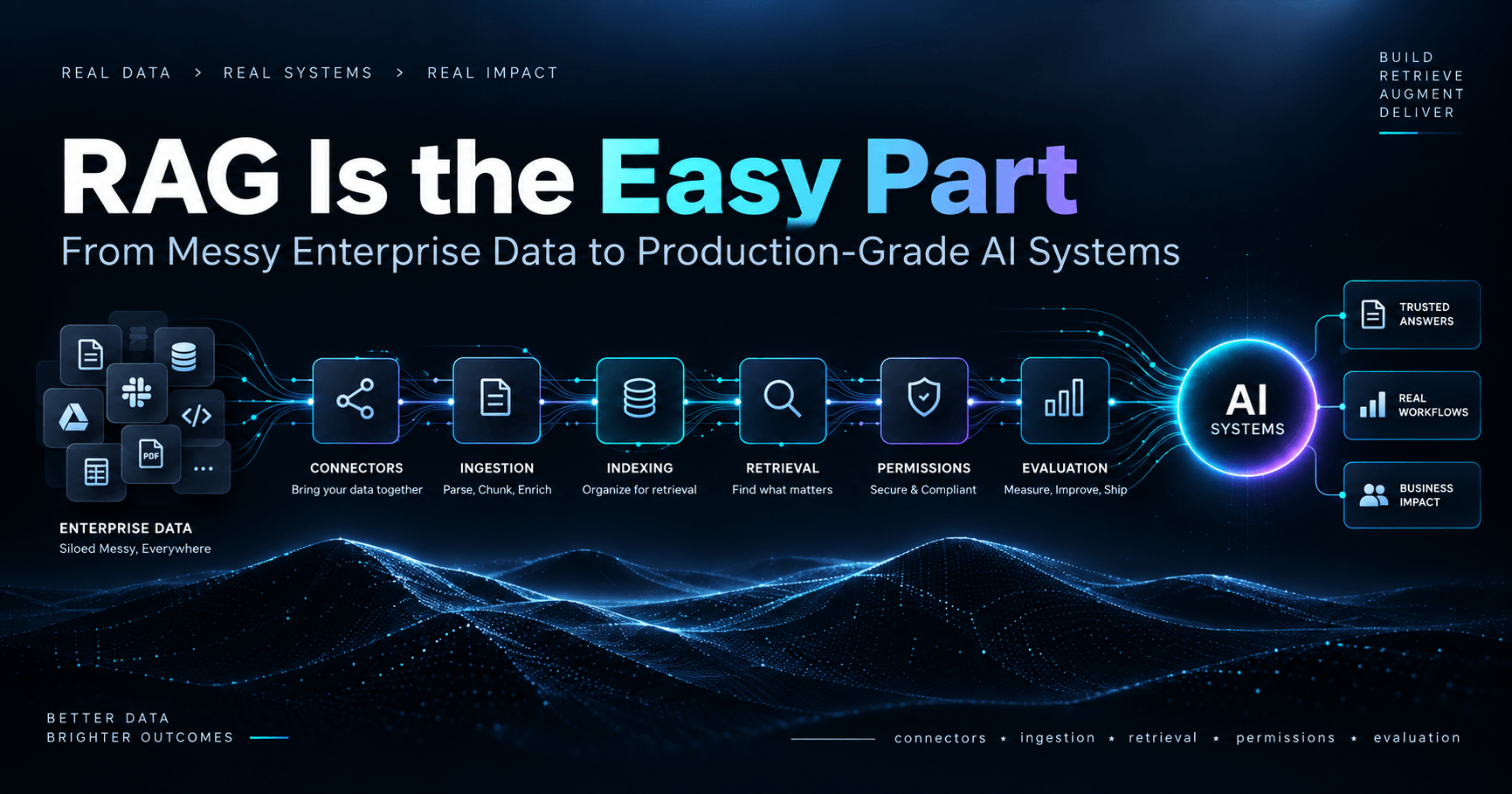
At its core, this is a Retrieval-Augmented Generation (RAG) pipeline:

We’ll build this modularly so you can swap in local models (via Ollama) or hosted APIs (like OpenAI), and use either local vector DBs or hosted solutions like Pinecone.
Tools & Stack
| Component | Tech Choices |
| Programming | Python |
| Embeddings | OpenAI / HuggingFace |
| Vector Store | ChromaDB (local), FAISS (offline), Pinecone (cloud) |
| LLM | OpenAI GPT-4, or Ollama (LLaMA 3, Mistral) |
| Pipeline | LangChain or LlamaIndex |
| UI | Streamlit (simple), FastAPI (custom), or CLI |
Ingest: Parsing and Loading Documents
Start by loading your data — this can be PDFs, markdown files, text dumps, exported Notion pages, emails, etc.
from langchain.document_loaders import PyPDFLoader, TextLoader

loader = PyPDFLoader("notes/2023-reflection.pdf")
documents = loader.load()
You can combine multiple loaders in a batch loader if needed.
Preprocessing: Chunking for Embedding
Large documents are split into smaller, overlapping text chunks for better semantic search.
from langchain.text_splitter import RecursiveCharacterTextSplitter

splitter = RecursiveCharacterTextSplitter(chunk_size=500, chunk_overlap=100)
chunks = splitter.split_documents(documents)
Chunk size and overlap are tunable based on the nature of your documents.
Embedding: Turning Text into Vectors
Use OpenAI’s embeddings (powerful but requires API key) or local HuggingFace models.
from langchain.embeddings import OpenAIEmbeddings
embeddings = OpenAIEmbeddings()
Or for offline/local:
from langchain.embeddings import HuggingFaceEmbeddings
embeddings = HuggingFaceEmbeddings(model_name="all-MiniLM-L6-v2")
Storing: Vector Database (Chroma / FAISS)
Store and index your vectorized chunks in a vector DB.
from langchain.vectorstores import Chroma

db = Chroma.from_documents(chunks, embedding=embeddings, persist_directory="./my_kb")
db.persist()
For pure offline use, you can switch to FAISS:
from langchain.vectorstores import FAISS

db = FAISS.from_documents(chunks, embeddings)
db.save_local("faiss_index")
Retrieval + Generation (RAG)
Now we connect a large language model to the vector store, so it can retrieve relevant chunks before generating a response.
from langchain.chat_models import ChatOpenAI
from langchain.chains import RetrievalQA

llm = ChatOpenAI(model_name="gpt-4", temperature=0)
qa_chain = RetrievalQA.from_chain_type(llm=llm, retriever=db.as_retriever())

query = "Summarize the main goals I set for 2023"
result = qa_chain.run(query)

print(result)
This is the magic of RAG: grounded answers, custom to your own data.
Interface: Building a Chat UI
Here’s a quick Streamlit app to interact with your personal knowledge base:
import streamlit as st

st.title("🧠 Ask My Notes")

query = st.text_input("Ask something...")
if query:
    result = qa_chain.run(query)
    st.markdown(result)
You can also build a CLI (mykb ask "query") or a web app using FastAPI + React.
Bonus: Using LLMs Locally (via Ollama)
If you want full privacy and zero costs, use Ollama to run models like LLaMA 3 or Mistral locally:
ollama run llama3
Then modify your LangChain pipeline to use:
from langchain.llms import Ollama
llm = Ollama(model="llama3")
Add Personalization & Privacy
Enhancements you can build:
✅ Upload new documents dynamically
🔐 Encrypt sensitive notes locally
🧠 Add metadata (source, tags, timestamps)
🔍 Search by topic, project, tags
📅 Schedule auto-sync from Notion / Google Drive
🗣️ Add voice-to-text (Whisper) for journaling
Final Thoughts
This project has been a game-changer for my productivity. It’s like having a second brain I can actually talk to — grounded in my own knowledge, research, and writing.
If you’re a software engineer, researcher, writer, or lifelong learner drowning in unstructured notes, this is your cue to start building your own AI-powered personal assistant.
Comments
Join the discussionNo comments yet. Be the first to comment.