Real-Time AI Applications with Open-Source LLMs
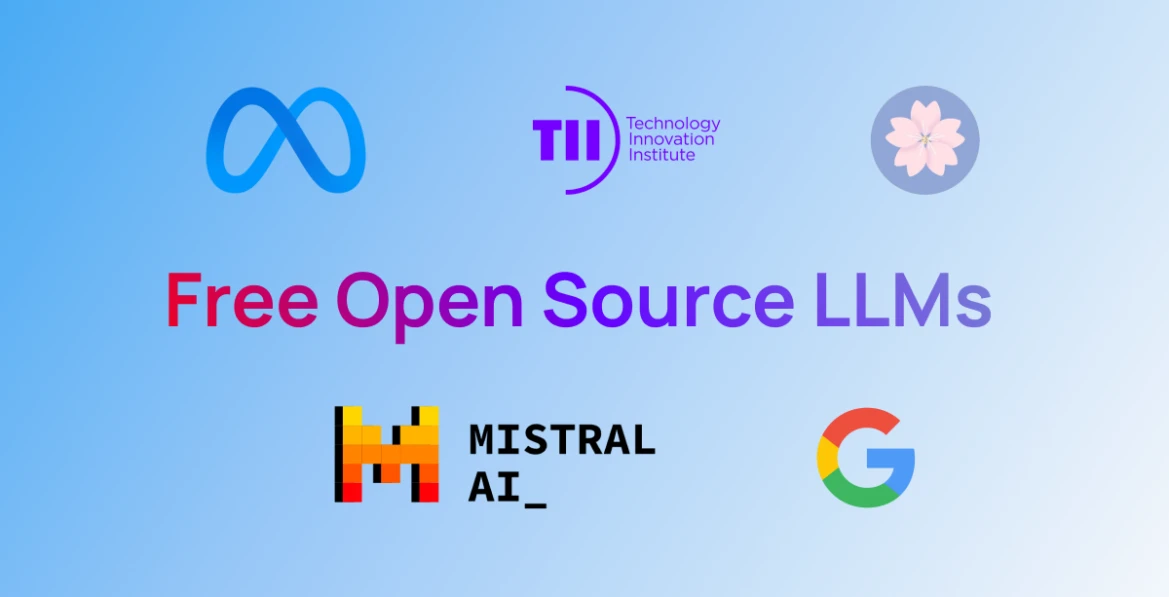
The landscape of real-time AI applications has been transformed by open-source Large Language Models (LLMs) like LLaMA, Falcon, and GPT-J. These models, when combined with powerful tools like Hugging Face, LangChain, and Ollama, enable developers to process and act upon live data streams in milliseconds.
This guide will take you through building real-time AI applications.
Table of Contents
Understanding Open-Source LLMs and Real-Time Applications
The Rise of Open-Source LLMs
Real-Time Applications in Action
Key Challenges and Considerations
The Ecosystem of Tools and Frameworks
Hugging Face Transformers
LangChain
Ollama
Complementary Tools: Kafka, WebSockets, FastAPI
Preparing Your Environment
System Requirements
Setting Up Hardware and Software
Installing Necessary Libraries
Testing Your Environment
Designing Real-Time AI Applications
Core Principles
Architectural Patterns
Use Case Analysis
Building a Real-Time LLM Pipeline
Connecting to Streaming Data Sources
Preprocessing Real-Time Data
Creating Real-Time Inference APIs
Real-Time Applications with LangChain
Using LangChain Memory for Stateful Interactions
Advanced Workflows with LangChain Agents
Real-Time Chain Composition
End-to-End Project: Sentiment Analysis System
Twitter Streaming API Setup
Building a Sentiment Prediction Pipeline
Visualizing Live Results
Optimizing Performance and Scalability
Techniques for Low Latency
Distributed Inference Systems
Batch Processing and Parallelism
Deployment and Real-World Use Cases
Deployment Strategies: Cloud, Edge, and Hybrid
Real-World Applications: Customer Support, Content Generation, IoT
Conclusion
1. Understanding Open-Source LLMs and Real-Time Applications
Open-source LLMs have made advanced AI accessible to developers, businesses, and researchers worldwide. Unlike proprietary models like GPT-4, open-source LLMs are free to use, transparent, and customizable.
Why Open-Source LLMs?
Transparency: Understand and modify the model’s architecture.
Customizability: Fine-tune models for specific use cases.
Cost-Effectiveness: Avoid high subscription fees for proprietary models.
Key Players in Open-Source LLMs
LLaMA 2 (Meta): Lightweight and efficient, ideal for low-resource environments.
Falcon: High-performance model optimized for text generation.
GPT-J and GPT-NeoX (EleutherAI): Versatile models with strong community support.
Real-Time Applications in Action
Real-time applications use AI to process and respond to live data streams. Some prominent use cases include:
Chatbots and Virtual Assistants: Provide instant, context-aware responses.
Sentiment Analysis: Monitor public opinion or brand sentiment in real-time.
Event Detection: Identify anomalies or trends in streaming data.
Content Generation: Adapt content based on user preferences.
Key Challenges and Considerations
Latency: Minimizing response time is critical.
Scalability: Handling large volumes of data in real-time.
Model Performance: Balancing accuracy with speed.
Ethical Issues: Ensuring unbiased and safe AI outputs.
2. The Ecosystem of Tools and Frameworks
Creating real-time AI applications requires integrating multiple tools for LLM inference, data streaming, and API management.
Hugging Face Transformers
Hugging Face is a cornerstone of the open-source LLM ecosystem.
Features:
Support for hundreds of pretrained models.
APIs for text generation, translation, and summarization.
Fine-tuning capabilities for custom datasets.
Example: Using Hugging Face for Inference
from transformers import AutoTokenizer, AutoModelForCausalLM

tokenizer = AutoTokenizer.from_pretrained("tiiuae/falcon-7b-instruct")
model = AutoModelForCausalLM.from_pretrained("tiiuae/falcon-7b-instruct")

input_text = "Explain quantum mechanics in simple terms."
inputs = tokenizer(input_text, return_tensors="pt")
outputs = model.generate(**inputs)
print(tokenizer.decode(outputs[0]))
LangChain
LangChain orchestrates complex workflows by chaining LLMs with tools and APIs.
Key Features:
Memory: Persistent state for conversations.
Agents: Decision-making capabilities using external tools.
Streaming: Process live data feeds seamlessly.
Ollama
A privacy-focused tool for running LLMs locally.
Why Use Ollama?
Lightweight and containerized.
Ideal for edge devices or secure environments.
Supporting Frameworks
Kafka: Scalable, distributed event streaming.
FastAPI: Lightweight API development framework.
WebSockets: Real-time client-server communication.
3. Preparing Your Environment
To build a production-ready system, it’s essential to set up the right environment.
System Requirements
Hardware: NVIDIA GPU with at least 12GB VRAM.
Software:
Python 3.9+
Docker (optional for containerization).
Installing Libraries
Install the required tools using pip:
pip install transformers langchain fastapi uvicorn kafka-python
Testing the Environment
Verify installation with a sample LLM inference:
from transformers import pipeline
generator = pipeline("text-generation", model="gpt2")
print(generator("The future of AI is", max_length=30))
Troubleshooting Tips
Ensure GPU drivers are installed correctly.
Use
torch.cuda.is_available()to verify GPU availability.
4. Designing Real-Time AI Applications
Core Principles
Low Latency: Optimize every step of the pipeline.
Scalability: Plan for increasing data volumes.
Modularity: Design reusable components.
Architectural Patterns
Event-Driven Architectures: Trigger actions based on events (e.g., Kafka consumers).
Microservices: Decouple components for better scalability.
5. Building a Real-Time LLM Pipeline
Step 1: Data Ingestion
Use Kafka for ingesting live data streams.
from kafka import KafkaConsumer
consumer = KafkaConsumer('my-topic', bootstrap_servers='localhost:9092')
for message in consumer:
    print(message.value)
Step 2: Real-Time Inference
Deploy Hugging Face models as a REST API:
from fastapi import FastAPI

app = FastAPI()

@app.post("/predict")
async def predict(input_text: str):
    inputs = tokenizer(input_text, return_tensors="pt")
    outputs = model.generate(**inputs)
    return {"response": tokenizer.decode(outputs[0])}
Step 3: Response Delivery
Integrate WebSockets for instant feedback:
from fastapi import WebSocket

@app.websocket("/ws")
async def websocket_endpoint(websocket: WebSocket):
    await websocket.accept()
    while True:
        data = await websocket.receive_text()
        result = predict(data)
        await websocket.send_text(result)
6. Real-Time Applications with LangChain
LangChain simplifies integrating LLMs into complex real-time applications by chaining multiple models, tools, and external APIs. Let’s explore its capabilities in detail.
LangChain Memory for Stateful Interactions
In real-time applications, stateful conversations (e.g., chatbots) need memory to maintain context across multiple exchanges. LangChain’s memory module is ideal for this.
Example: Conversational Memory
from langchain.chains import ConversationChain
from langchain.memory import ConversationBufferMemory
from langchain.llms import HuggingFacePipeline
from transformers import pipeline

# Load LLM
hf_pipeline = pipeline("text-generation", model="gpt2")
llm = HuggingFacePipeline(pipeline=hf_pipeline)

# Create conversation chain with memory
memory = ConversationBufferMemory()
conversation = ConversationChain(llm=llm, memory=memory)

# Simulate a conversation
print(conversation.run("What is the capital of France?"))
print(conversation.run("What about Germany?"))
Advanced Workflows with LangChain Agents
LangChain agents allow LLMs to make decisions and interact with tools like search engines, calculators, or APIs.
Example: Using an Agent with a Tool
from langchain.agents import load_tools, initialize_agent
from langchain.llms import HuggingFacePipeline

tools = load_tools(["serpapi"])  # Use SerpAPI for web searches
agent = initialize_agent(tools, llm, agent="zero-shot-react-description")

# Ask a question requiring tool usage
response = agent.run("Who won the FIFA World Cup in 2022?")
print(response)
Real-Time Chain Composition
LangChain supports building custom pipelines for real-time tasks, such as routing user queries to different APIs based on intent.
Example: Multi-Step Real-Time Chain
from langchain.chains import SequentialChain
from langchain.prompts import PromptTemplate

# Define prompt templates
intent_prompt = PromptTemplate(input_variables=["input"], template="Classify intent: {input}")
query_prompt = PromptTemplate(input_variables=["input"], template="Query: {input}")

# Create chains
intent_chain = LLMChain(llm=llm, prompt=intent_prompt)
query_chain = LLMChain(llm=llm, prompt=query_prompt)

# Combine chains
real_time_chain = SequentialChain(chains=[intent_chain, query_chain])
print(real_time_chain.run("What is the weather in Paris?"))
7. Example Project: Real-Time Sentiment Analysis System
In this project, we’ll create a complete real-time sentiment analysis system using the Twitter API, Hugging Face models, and LangChain.
Step 1: Set Up Twitter Streaming API
Authenticate with Twitter API
import tweepy

API_KEY = "your_api_key"
API_SECRET = "your_api_secret"
ACCESS_TOKEN = "your_access_token"
ACCESS_TOKEN_SECRET = "your_access_token_secret"

auth = tweepy.OAuthHandler(API_KEY, API_SECRET)
auth.set_access_token(ACCESS_TOKEN, ACCESS_TOKEN_SECRET)
api = tweepy.API(auth)

# Stream Listener
class StreamListener(tweepy.StreamListener):
    def on_status(self, status):
        print(status.text)

# Stream tweets
listener = StreamListener()
stream = tweepy.Stream(auth=api.auth, listener=listener)
stream.filter(track=["AI", "machine learning"])
Step 2: Sentiment Analysis Pipeline
Using Hugging Face Sentiment Analysis
from transformers import pipeline

# Load sentiment analysis pipeline
sentiment_pipeline = pipeline("sentiment-analysis")

# Analyze sentiment
def analyze_sentiment(text):
    result = sentiment_pipeline(text)
    return {"label": result[0]["label"], "score": result[0]["score"]}
Step 3: Integrate with LangChain for Enriched Context
Enhance the pipeline by integrating LangChain for contextual understanding.
Example: LangChain Sentiment Contextualization
from langchain.prompts import PromptTemplate
from langchain.chains import LLMChain

# Define sentiment contextualization prompt
context_prompt = PromptTemplate(
    input_variables=["input", "sentiment"],
    template="Given the text: '{input}' and its sentiment: {sentiment}, provide deeper insights."
)

# Chain for contextualization
context_chain = LLMChain(llm=llm, prompt=context_prompt)

# Enrich sentiment analysis
def enriched_analysis(text):
    sentiment = analyze_sentiment(text)
    context = context_chain.run(input=text, sentiment=sentiment["label"])
    return {"sentiment": sentiment, "context": context}
Step 4: Real-Time Dashboard
Build a real-time dashboard to visualize results using Streamlit.
epip install streamlit
Dashboard Code
import streamlit as st

st.title("Real-Time Sentiment Analysis")
st.text_area("Tweet", placeholder="Streamed tweets will appear here...", height=200)

# Add sentiment analysis results
st.write("Sentiment Results")
st.json(enriched_analysis("AI is revolutionizing the world!"))
Run the dashboard:
streamlit run app.py
8. Optimizing Performance and Scalability
Real-time applications must be optimized for low latency and high throughput. Here are the strategies to achieve this:
Optimizing Latency
ONNX Conversion: Convert models to ONNX format for faster inference.
 from transformers import AutoTokenizer, AutoModelForSequenceClassification
 from onnxruntime import InferenceSession

 tokenizer = AutoTokenizer.from_pretrained("bert-base-uncased")
 model = AutoModelForSequenceClassification.from_pretrained("bert-base-uncased")
 model.save_pretrained("onnx_model")

 session = InferenceSession("onnx_model.onnx")
FP16 Precision: Use half-precision models for faster computations.
 from transformers import AutoModel
 model = AutoModel.from_pretrained("gpt2", torch_dtype=torch.float16)
Scaling for High Throughput
Distributed Inference: Deploy multiple instances of the model across GPUs.
Load Balancing: Use tools like NGINX to distribute traffic.
9. Deployment and Real-World Use Cases
Deployment Strategies
Cloud Deployment: Use AWS SageMaker or Google AI Platform for scalable deployments.
Edge Deployment: Use Ollama or TensorFlow Lite for on-device inference.
Hybrid Deployment: Combine cloud and edge solutions for optimal performance.
Real-World Applications
Customer Support Chatbots: Real-time query resolution with memory and personalization.
IoT Event Monitoring: Analyze sensor data for actionable insights.
Live Content Moderation: Filter inappropriate content in live chats.
10. Conclusion
Real-time AI applications powered by open-source LLMs have limitless potential. By mastering tools like Hugging Face, LangChain, and Kafka, developers can build scalable, responsive systems that redefine user experiences. Start small, optimize, and scale your applications to bring real-time AI to life.
If you found this article helpful or want to reach out to me to discuss anything, then feel free to reach out to me: AhmadWKhan.com.
Comments
Join the discussionNo comments yet. Be the first to comment.